

- Joined
- Dec 30, 2024
- Messages
- 396
- Reaction score
- 208
- Points
- 62
- Website
- blackhatpakistan.net
- Points
- 1,108
- USD
- 1,108
A Tor tutorial covers the network that routes your traffic through three volunteer-operated relays so no single node knows both who you are and what you are reading: the entry guard sees your address, the middle relay passes traffic, and the exit sees the destination but not the origin. Tor (The Onion Router) layers encryption like an onion - each relay peels one layer - and the Tor Browser is the hardened Firefox build designed to use it without leaking the details that deanonymize people.
TL;DR - Tor = three-hop circuit + layered encryption. Browser = the only supported client for most people. The threats that actually catch users are not the network: exit-node eavesdropping on unencrypted traffic, browser fingerprinting from a non-Tor browser, JavaScript exploits, and operational mistakes (logging into identified accounts over Tor). Onion services (.onion sites) never leave the network at all - no exit node involved.
HOW THE CIRCUIT WORKS
- Client picks an entry guard (long-lived first hop - keeping it stable defeats many correlation attacks), then a middle relay, then an exit.
- TLS-style layered cells: your traffic is encrypted once for each relay; each hop peels exactly one layer and forwards the onion.
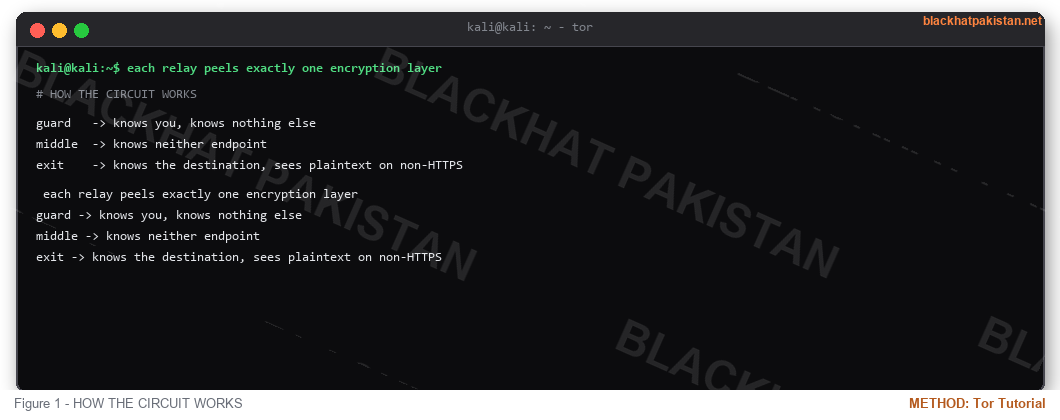
- The entry sees your IP and the next relay but not the destination. The middle sees neither endpoint. The exit sees the destination and the plaintext if the destination is not HTTPS.
- Circuits are separate from connections - one browser tab's stream shares circuits with others until they expire (10 minutes default), and new streams get fresh circuits as needed.
TOR BROWSER - THE CLIENT
The Tor Browser is a portable Firefox ESR with Tor connection logic, plus the anti-fingerprinting configuration that matters more than the routing itself: all users share the same window size and font set, timezone and language are spoofed to a uniform value, Canvas and audio fingerprinting are neutralized, and every browser reports the same User-Agent class. Using a different browser over Tor undoes the design - your personalized fingerprint becomes a stable identifier that bridges the gap between "a Tor user" and "you."
- Do not resize the window (maximize breaks the uniform size).
- Do not install extensions or fonts.
- Do not open PDFs or media you do not trust - viewer exploits leak outside the sandbox by design of the ecosystem, not by bug.
- Security slider to Safer for anything beyond clearnet reading; it disables dangerous rendering paths.
- Never log into accounts that know your real identity - the correlation is trivial from the service side even though the network hides your IP.
ONION SERVICES (.ONION SITES)
A hidden service publishes a descriptor to the distributed hash table; the client builds a circuit TO the service and the service builds one back, so traffic never touches an exit node and neither side learns the other's IP. Introduction points and rendezvous relays mediate the handshake. This is the same mechanism used for legitimate privacy-preserving services - company wikis reachable only inside Tor, anonymous dropboxes, censored-region publishing - and it is why .onion is a hosting format, not a synonym for anything in particular.
ENTRY POINTS - GUARDS, BRIDGES, DPI
Blocking Tor at the border means blocking the public guard list, which is public precisely because it must be. Circumvention takes three forms: bridges (unpublished relays you receive out-of-band), pluggable transports that reshape Tor traffic to look like something else (obfs4 looks like random bytes, meek rides HTTPS requests to a CDN so the block would have to block the CDN), and Snowflake (borrowing spare WebRTC capacity from volunteer browsers). Which one works depends entirely on what the censor inspects - IP reputation, protocol fingerprinting, or active probing of suspected relays.
WHAT TOR DOES NOT PROTECT
- Exit-node sniffing - plain HTTP, FTP, and unencrypted email credentials are visible at the exit. HTTPS end-to-end through the exit is the mitigation, and the onion service model eliminates the exit entirely.
- Timing correlation - a global observer who sees both ends of a circuit can match traffic patterns. This is a nation-state class threat, not a default-risk.
- Endpoint compromise - malware in your browser or OS does not care where your packets route.
- Voluntary disclosure - your own typing: emails, handles, reuse of the same account over Tor and clearnet, all deanonymize without breaking any crypto.
*The pattern that catches people is never the routing math. It is one account, one handle, one file written in the same voice on both networks.*
FAQ
Q: Does Tor make me anonymous by default?
A: It hides your address from destinations and destinations from your ISP, provided the browser behaves and you do not correlate yourself. Anonymity is a system property - network plus browser plus behavior - not a switch.
Q: Tor and VPN - which first?
A: They solve different problems: a VPN hides Tor usage from your ISP (useful where Tor itself is stigmatized or blocked), a VPN in front of Tor entry gives the VPN your address instead of your ISP, and Tor over VPN trusts the VPN with your first hop metadata. No arrangement makes both ends invisible to a global observer.
Q: Why is Tor slow?
A: Three hops, volunteer bandwidth, congestion on small relays, plus the latency of building circuits. Onion services add a rendezvous round-trip. The design accepts latency as the cost of the routing property.
Q: How do defenders see Tor traffic?
A: Public guard relays are known - your ISP and network logs show Tor usage (bridge usage hides that specific signal). Exit operators can see unencrypted destination traffic; services see anonymizing-proxy ASNs and can require account challenges. Correlation-grade detection is a different category: passive observation of both circuit ends, which is where published deanonymization research operates.
RELATED ON BLACKHAT PAKISTAN
Password Leak Check - the operational-security layer under any anonymity setup.
OSINT Tools for Beginners - researching networks without touching them from your own address.
Undetectable RAT - C2 traffic shaping and rare-destination hygiene, same principles.
Nmap Cheat Sheet 2026 - mapping what your traffic can actually reach.
TL;DR - Tor = three-hop circuit + layered encryption. Browser = the only supported client for most people. The threats that actually catch users are not the network: exit-node eavesdropping on unencrypted traffic, browser fingerprinting from a non-Tor browser, JavaScript exploits, and operational mistakes (logging into identified accounts over Tor). Onion services (.onion sites) never leave the network at all - no exit node involved.
HOW THE CIRCUIT WORKS
- Client picks an entry guard (long-lived first hop - keeping it stable defeats many correlation attacks), then a middle relay, then an exit.
- TLS-style layered cells: your traffic is encrypted once for each relay; each hop peels exactly one layer and forwards the onion.
- The entry sees your IP and the next relay but not the destination. The middle sees neither endpoint. The exit sees the destination and the plaintext if the destination is not HTTPS.
- Circuits are separate from connections - one browser tab's stream shares circuits with others until they expire (10 minutes default), and new streams get fresh circuits as needed.
Code:
each relay peels exactly one encryption layer

guard   -> knows you, knows nothing else

middle  -> knows neither endpoint

exit    -> knows the destination, sees plaintext on non-HTTPS
TOR BROWSER - THE CLIENT
The Tor Browser is a portable Firefox ESR with Tor connection logic, plus the anti-fingerprinting configuration that matters more than the routing itself: all users share the same window size and font set, timezone and language are spoofed to a uniform value, Canvas and audio fingerprinting are neutralized, and every browser reports the same User-Agent class. Using a different browser over Tor undoes the design - your personalized fingerprint becomes a stable identifier that bridges the gap between "a Tor user" and "you."
- Do not resize the window (maximize breaks the uniform size).
- Do not install extensions or fonts.
- Do not open PDFs or media you do not trust - viewer exploits leak outside the sandbox by design of the ecosystem, not by bug.
- Security slider to Safer for anything beyond clearnet reading; it disables dangerous rendering paths.
- Never log into accounts that know your real identity - the correlation is trivial from the service side even though the network hides your IP.
ONION SERVICES (.ONION SITES)
A hidden service publishes a descriptor to the distributed hash table; the client builds a circuit TO the service and the service builds one back, so traffic never touches an exit node and neither side learns the other's IP. Introduction points and rendezvous relays mediate the handshake. This is the same mechanism used for legitimate privacy-preserving services - company wikis reachable only inside Tor, anonymous dropboxes, censored-region publishing - and it is why .onion is a hosting format, not a synonym for anything in particular.
ENTRY POINTS - GUARDS, BRIDGES, DPI
Blocking Tor at the border means blocking the public guard list, which is public precisely because it must be. Circumvention takes three forms: bridges (unpublished relays you receive out-of-band), pluggable transports that reshape Tor traffic to look like something else (obfs4 looks like random bytes, meek rides HTTPS requests to a CDN so the block would have to block the CDN), and Snowflake (borrowing spare WebRTC capacity from volunteer browsers). Which one works depends entirely on what the censor inspects - IP reputation, protocol fingerprinting, or active probing of suspected relays.
WHAT TOR DOES NOT PROTECT
- Exit-node sniffing - plain HTTP, FTP, and unencrypted email credentials are visible at the exit. HTTPS end-to-end through the exit is the mitigation, and the onion service model eliminates the exit entirely.
- Timing correlation - a global observer who sees both ends of a circuit can match traffic patterns. This is a nation-state class threat, not a default-risk.
- Endpoint compromise - malware in your browser or OS does not care where your packets route.
- Voluntary disclosure - your own typing: emails, handles, reuse of the same account over Tor and clearnet, all deanonymize without breaking any crypto.
*The pattern that catches people is never the routing math. It is one account, one handle, one file written in the same voice on both networks.*
FAQ
Q: Does Tor make me anonymous by default?
A: It hides your address from destinations and destinations from your ISP, provided the browser behaves and you do not correlate yourself. Anonymity is a system property - network plus browser plus behavior - not a switch.
Q: Tor and VPN - which first?
A: They solve different problems: a VPN hides Tor usage from your ISP (useful where Tor itself is stigmatized or blocked), a VPN in front of Tor entry gives the VPN your address instead of your ISP, and Tor over VPN trusts the VPN with your first hop metadata. No arrangement makes both ends invisible to a global observer.
Q: Why is Tor slow?
A: Three hops, volunteer bandwidth, congestion on small relays, plus the latency of building circuits. Onion services add a rendezvous round-trip. The design accepts latency as the cost of the routing property.
Q: How do defenders see Tor traffic?
A: Public guard relays are known - your ISP and network logs show Tor usage (bridge usage hides that specific signal). Exit operators can see unencrypted destination traffic; services see anonymizing-proxy ASNs and can require account challenges. Correlation-grade detection is a different category: passive observation of both circuit ends, which is where published deanonymization research operates.
RELATED ON BLACKHAT PAKISTAN
Password Leak Check - the operational-security layer under any anonymity setup.
OSINT Tools for Beginners - researching networks without touching them from your own address.
Undetectable RAT - C2 traffic shaping and rare-destination hygiene, same principles.
Nmap Cheat Sheet 2026 - mapping what your traffic can actually reach.
Last edited:


