

- Joined
- Dec 30, 2024
- Messages
- 396
- Reaction score
- 208
- Points
- 62
- Website
- blackhatpakistan.net
- Points
- 1,108
- USD
- 1,108
Windows privilege escalation is the checklist you run after you already have a low-privilege shell on a Windows box: enumerate who you are, what you can do, and which of a dozen misconfigurations lets you become SYSTEM. The real path almost never needs an exploit - unquoted service paths, writable service binaries, stored credentials, token impersonation, and AlwaysInstallElevated do most of the work, and this list walks them in the order an operator actually checks them.
TL;DR - Run whoami /priv and systeminfo first (tokens and OS build), then service and task enumeration (unquoted paths, writable bins, weak ACLs), then stored credentials (cmdkey /list, autologon, SAM), then the config classes (AlwaysInstallElevated, weak registry, group policy). Kernel exploits last, never first - patched builds turn them into blue screens and the misconfig classes give you SYSTEM quietly with nothing in the event log but an ordinary service restart.
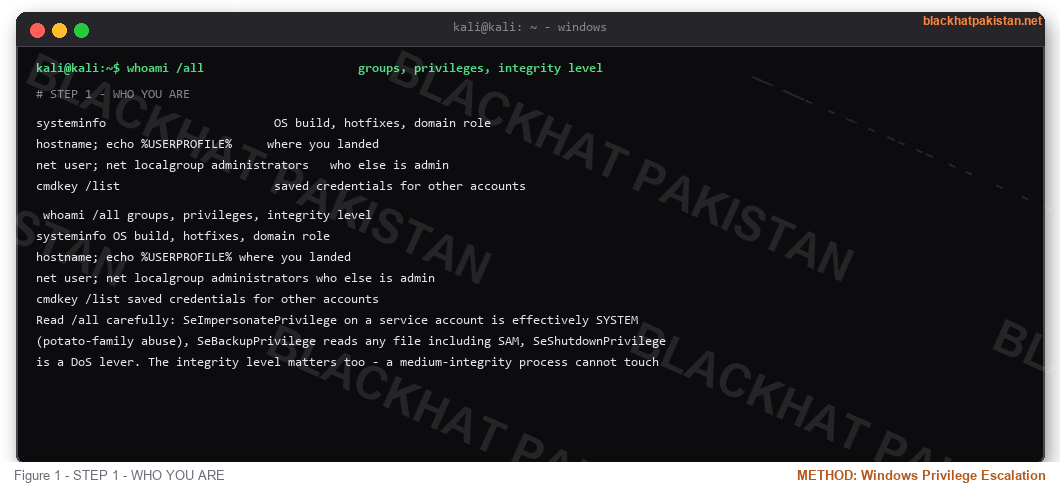
STEP 1 - WHO YOU ARE
Read /all carefully: SeImpersonatePrivilege on a service account is effectively SYSTEM (potato-family abuse), SeBackupPrivilege reads any file including SAM, SeShutdownPrivilege is a DoS lever. The integrity level matters too - a medium-integrity process cannot touch high-integrity processes without a bypass.
*Privilege names are the map. Everything after this step is just matching a privilege or a weak ACL to a way up.*
STEP 2 - PATCH LEVEL AND HOTFIXES
Build number first, then match against known exploits. A 19044 build with no recent servicing stack is a kernel-exploit candidate; a fully patched Server 2022 means the kernel path is closed and misconfig is your only road. Keep this step early so you know which exploit names later in the checklist are even worth trying.
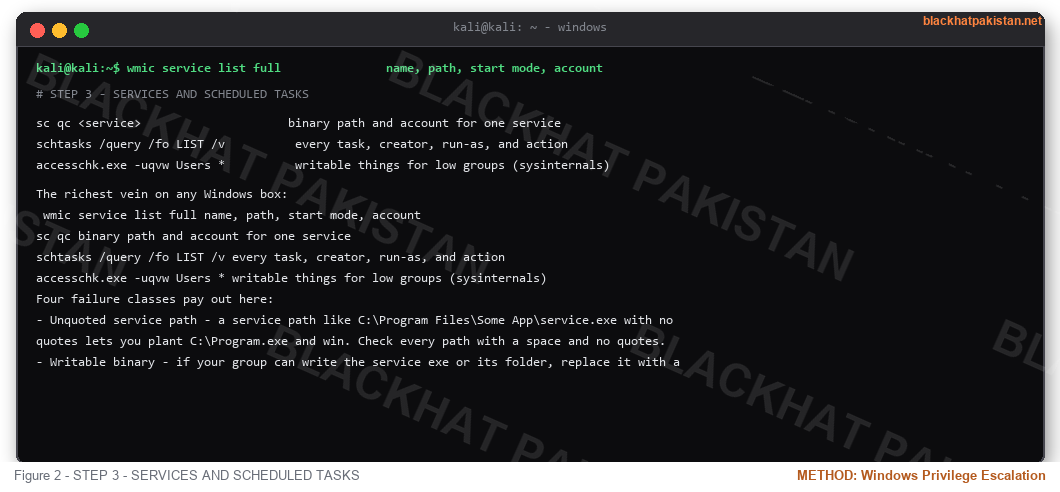
STEP 3 - SERVICES AND SCHEDULED TASKS
The richest vein on any Windows box:
Four failure classes pay out here:
- Unquoted service path - a service path like C:\Program Files\Some App\service.exe with no quotes lets you plant C:\Program.exe and win. Check every path with a space and no quotes.
- Writable binary - if your group can write the service exe or its folder, replace it with a payload that runs as the service account (often SYSTEM). Change the binPath only if you can - usually you just wait for the restart, or trigger one with sc stop/start.
- Weak service account - services running as .\Administrator or a user with an empty password. Test with runas /savecred or a pass-the-hash if you have one.
- Task hijack[/B] - scheduled tasks that run as SYSTEM but whose action file sits in a writable directory, or tasks you can modify (schtasks /change). Task Scheduler will happily run your binary as SYSTEM tomorrow morning.
STEP 4 - STORED CREDENTIALS AND SECRETS
Autologon entries frequently carry cleartext passwords in the DefaultPassword value. Scheduled-task XML in C:\Windows\System32\Tasks holds the stored hash of the run-as account. IIS applicationHost.config, web.config connection strings, and unattended.xml setup files are the same idea - the box remembers passwords so it can reboot without a human, and your job is to read them back.
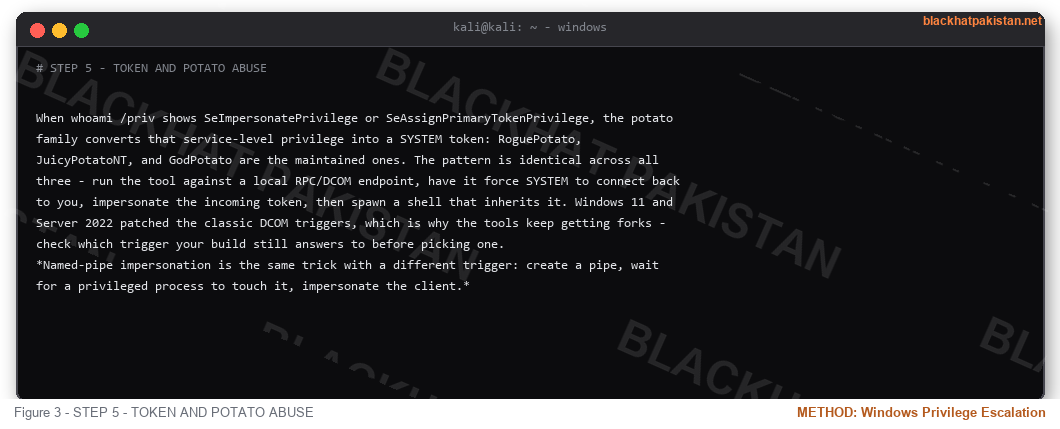
STEP 5 - TOKEN AND POTATO ABUSE
When whoami /priv shows SeImpersonatePrivilege or SeAssignPrimaryTokenPrivilege, the potato family converts that service-level privilege into a SYSTEM token: RoguePotato, JuicyPotatoNT, and GodPotato are the maintained ones. The pattern is identical across all three - run the tool against a local RPC/DCOM endpoint, have it force SYSTEM to connect back to you, impersonate the incoming token, then spawn a shell that inherits it. Windows 11 and Server 2022 patched the classic DCOM triggers, which is why the tools keep getting forks - check which trigger your build still answers to before picking one.
*Named-pipe impersonation is the same trick with a different trigger: create a pipe, wait for a privileged process to touch it, impersonate the client.*
STEP 6 - CONFIG CLASSES
AlwaysInstallElevated = install any MSI as SYSTEM, so a five-line malicious MSI becomes admin. Group Policy cpassword in SYSVOL decrypts domain service accounts. Writable PATH directories let you shadow net.exe or any tool an admin is about to run. DLL hijacking on a privileged app that loads from the current directory is the same class with a different file type.
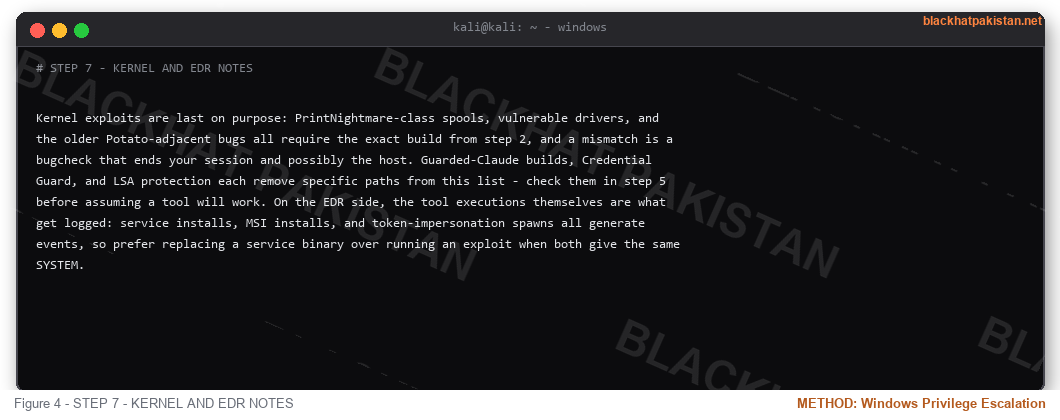
STEP 7 - KERNEL AND EDR NOTES
Kernel exploits are last on purpose: PrintNightmare-class spools, vulnerable drivers, and the older Potato-adjacent bugs all require the exact build from step 2, and a mismatch is a bugcheck that ends your session and possibly the host. Guarded-Claude builds, Credential Guard, and LSA protection each remove specific paths from this list - check them in step 5 before assuming a tool will work. On the EDR side, the tool executions themselves are what get logged: service installs, MSI installs, and token-impersonation spawns all generate events, so prefer replacing a service binary over running an exploit when both give the same SYSTEM.
FAQ
Q: What is the fastest path to SYSTEM?
A: SeImpersonatePrivilege plus a potato tool when the privilege exists; otherwise a writable service binary. Both are minutes. Kernel exploits are hours and a reboot.
Q: Why does every checklist say misconfig before exploit?
A: Misconfig leaves quiet artifacts (a service restarting) and works on patched boxes. Exploits need exact builds, fail closed, and put a bugcheck in your future.
Q: Do I need local admin for any of this?
A: No - this entire list targets low-privilege users. If you already have local admin, you are enumerating for domain credentials and persistence instead, not for SYSTEM.
Q: How do blue teams catch this?
A: Process creation on service binaries, MSI installs by non-admins, registry writes to AlwaysInstallElevated, and child processes spawned from token-impersonation tools. The enumeration commands themselves are mostly indistinguishable from admin housekeeping.
RELATED ON BLACKHAT PAKISTAN
Reverse Shell Cheatsheet - the shell this checklist runs from.
Linux Privilege Escalation Checklist 2026 - the same workflow on the other side.
Python Keylogger Tutorial 2026 - Windows-side payload work.
Kali Linux Tools List 2026 - the enumeration toolkit.
TL;DR - Run whoami /priv and systeminfo first (tokens and OS build), then service and task enumeration (unquoted paths, writable bins, weak ACLs), then stored credentials (cmdkey /list, autologon, SAM), then the config classes (AlwaysInstallElevated, weak registry, group policy). Kernel exploits last, never first - patched builds turn them into blue screens and the misconfig classes give you SYSTEM quietly with nothing in the event log but an ordinary service restart.
STEP 1 - WHO YOU ARE
Code:
whoami /all                      groups, privileges, integrity level

systeminfo                        OS build, hotfixes, domain role

hostname; echo %USERPROFILE%     where you landed

net user; net localgroup administrators   who else is admin

cmdkey /list                      saved credentials for other accounts
Read /all carefully: SeImpersonatePrivilege on a service account is effectively SYSTEM (potato-family abuse), SeBackupPrivilege reads any file including SAM, SeShutdownPrivilege is a DoS lever. The integrity level matters too - a medium-integrity process cannot touch high-integrity processes without a bypass.
*Privilege names are the map. Everything after this step is just matching a privilege or a weak ACL to a way up.*
STEP 2 - PATCH LEVEL AND HOTFIXES
Code:
wmic qfe list brief                installed hotfixes

Get-HotFix | Sort-Object InstalledOn    powershell version of the same

reg query "HKLM\SOFTWARE\Microsoft\Windows NT\CurrentVersion"  exact build
Build number first, then match against known exploits. A 19044 build with no recent servicing stack is a kernel-exploit candidate; a fully patched Server 2022 means the kernel path is closed and misconfig is your only road. Keep this step early so you know which exploit names later in the checklist are even worth trying.
STEP 3 - SERVICES AND SCHEDULED TASKS
The richest vein on any Windows box:
Code:
wmic service list full               name, path, start mode, account

sc qc <service>                     binary path and account for one service

schtasks /query /fo LIST /v          every task, creator, run-as, and action

accesschk.exe -uqvw Users *          writable things for low groups (sysinternals)
Four failure classes pay out here:
- Unquoted service path - a service path like C:\Program Files\Some App\service.exe with no quotes lets you plant C:\Program.exe and win. Check every path with a space and no quotes.
- Writable binary - if your group can write the service exe or its folder, replace it with a payload that runs as the service account (often SYSTEM). Change the binPath only if you can - usually you just wait for the restart, or trigger one with sc stop/start.
- Weak service account - services running as .\Administrator or a user with an empty password. Test with runas /savecred or a pass-the-hash if you have one.
- Task hijack[/B] - scheduled tasks that run as SYSTEM but whose action file sits in a writable directory, or tasks you can modify (schtasks /change). Task Scheduler will happily run your binary as SYSTEM tomorrow morning.
STEP 4 - STORED CREDENTIALS AND SECRETS
Code:
cmdkey /list                      saved Windows credentials</em>

<em>reg query "HKLM\SOFTWARE\Microsoft\Windows NT\CurrentVersion\Winlogon"   autologon user</em>

<em>reg query HKCU\Environment           user-level PATH hijack candidates</em>

<em>findstr /si password *.xml *.ini *.txt  password sweeps across shares
Autologon entries frequently carry cleartext passwords in the DefaultPassword value. Scheduled-task XML in C:\Windows\System32\Tasks holds the stored hash of the run-as account. IIS applicationHost.config, web.config connection strings, and unattended.xml setup files are the same idea - the box remembers passwords so it can reboot without a human, and your job is to read them back.
STEP 5 - TOKEN AND POTATO ABUSE
When whoami /priv shows SeImpersonatePrivilege or SeAssignPrimaryTokenPrivilege, the potato family converts that service-level privilege into a SYSTEM token: RoguePotato, JuicyPotatoNT, and GodPotato are the maintained ones. The pattern is identical across all three - run the tool against a local RPC/DCOM endpoint, have it force SYSTEM to connect back to you, impersonate the incoming token, then spawn a shell that inherits it. Windows 11 and Server 2022 patched the classic DCOM triggers, which is why the tools keep getting forks - check which trigger your build still answers to before picking one.
*Named-pipe impersonation is the same trick with a different trigger: create a pipe, wait for a privileged process to touch it, impersonate the client.*
STEP 6 - CONFIG CLASSES
Code:
reg query HKLM\SOFTWARE\Policies\Microsoft\Windows\Installer /v AlwaysInstallElevated   both hives must be 1</em>

<em>reg query HKLM\SYSTEM\CurrentControlSet\Control\LSA /v RunAsPPL   credential guard state</em>

<em>type C:\Windows\Panther\Unattend.xml; type C:\Windows\System32\sysprep\sysprep.xml  setup passwords
AlwaysInstallElevated = install any MSI as SYSTEM, so a five-line malicious MSI becomes admin. Group Policy cpassword in SYSVOL decrypts domain service accounts. Writable PATH directories let you shadow net.exe or any tool an admin is about to run. DLL hijacking on a privileged app that loads from the current directory is the same class with a different file type.
STEP 7 - KERNEL AND EDR NOTES
Kernel exploits are last on purpose: PrintNightmare-class spools, vulnerable drivers, and the older Potato-adjacent bugs all require the exact build from step 2, and a mismatch is a bugcheck that ends your session and possibly the host. Guarded-Claude builds, Credential Guard, and LSA protection each remove specific paths from this list - check them in step 5 before assuming a tool will work. On the EDR side, the tool executions themselves are what get logged: service installs, MSI installs, and token-impersonation spawns all generate events, so prefer replacing a service binary over running an exploit when both give the same SYSTEM.
FAQ
Q: What is the fastest path to SYSTEM?
A: SeImpersonatePrivilege plus a potato tool when the privilege exists; otherwise a writable service binary. Both are minutes. Kernel exploits are hours and a reboot.
Q: Why does every checklist say misconfig before exploit?
A: Misconfig leaves quiet artifacts (a service restarting) and works on patched boxes. Exploits need exact builds, fail closed, and put a bugcheck in your future.
Q: Do I need local admin for any of this?
A: No - this entire list targets low-privilege users. If you already have local admin, you are enumerating for domain credentials and persistence instead, not for SYSTEM.
Q: How do blue teams catch this?
A: Process creation on service binaries, MSI installs by non-admins, registry writes to AlwaysInstallElevated, and child processes spawned from token-impersonation tools. The enumeration commands themselves are mostly indistinguishable from admin housekeeping.
RELATED ON BLACKHAT PAKISTAN
Reverse Shell Cheatsheet - the shell this checklist runs from.
Linux Privilege Escalation Checklist 2026 - the same workflow on the other side.
Python Keylogger Tutorial 2026 - Windows-side payload work.
Kali Linux Tools List 2026 - the enumeration toolkit.
Last edited:


